 VoidTuber
An easy-to-use VTubing program that just uses your VRChat avatar.
Switching over from other VTubing software? Port your avatars straight over: VNyan and VSeeFace files load as they are.
For Linux and Windows. This is an early test version, so expect some bugs and tell us when something breaks.
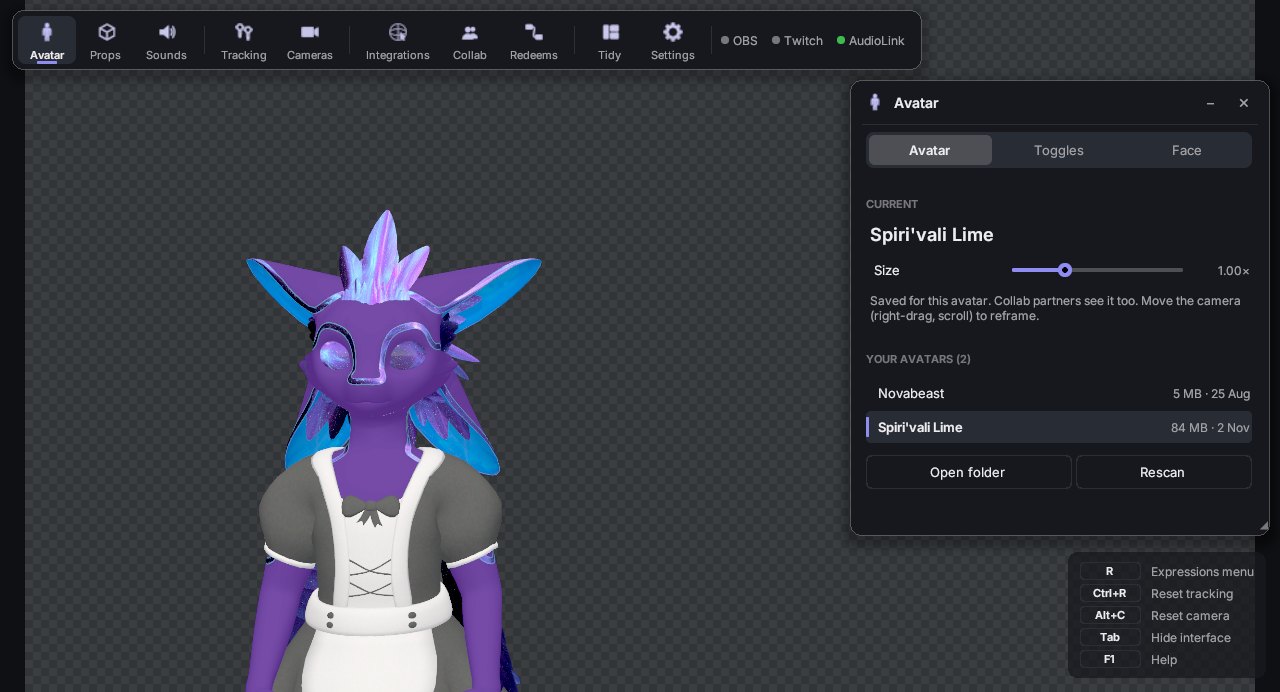
Your avatars
VRChat avatars come across with their toggles, expressions menu and physics.
Tracking and lip sync
A webcam follows your head, face, arms and fingers on your own computer. Face-tracking headsets work too.
Dances and sounds
Play MMD dances with their camera moves and music, and keep a soundboard to hand.
Let your chat run the show
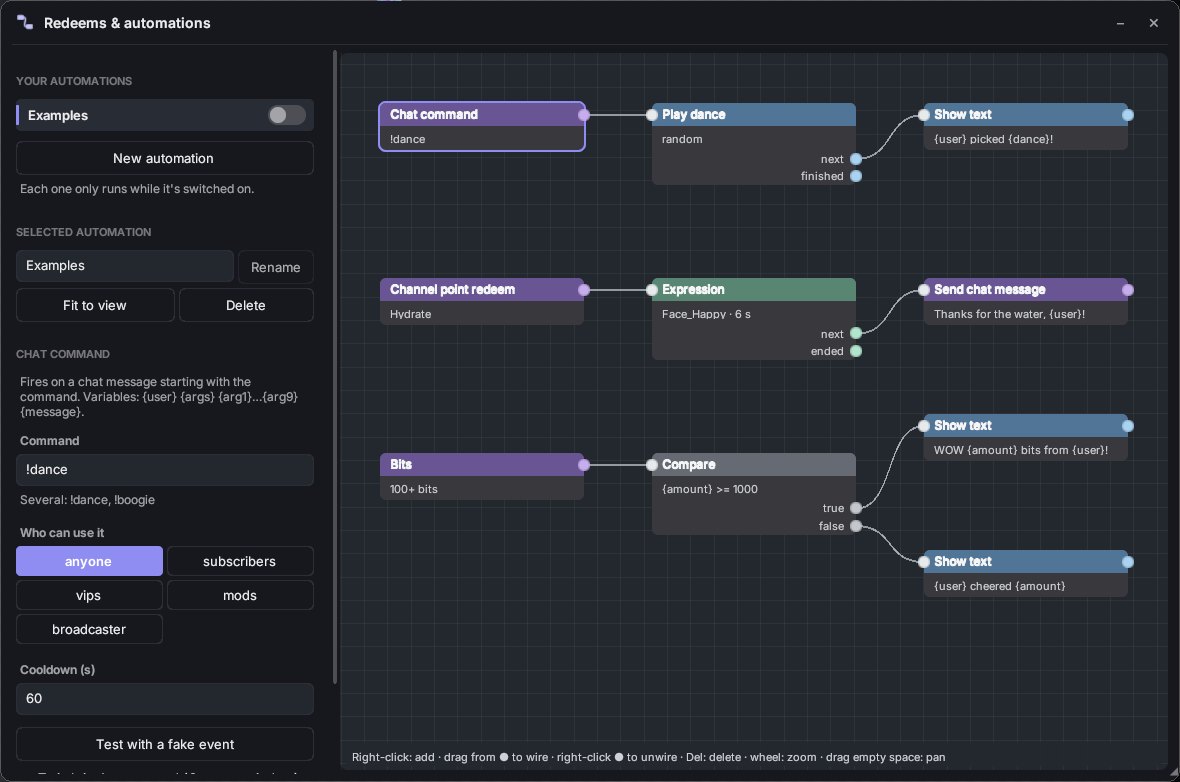
Connect a trigger to an action and you have a redeem. A chat command starts a dance, a channel point redeem changes your expression, and bits send a thank-you.
Straight into OBS
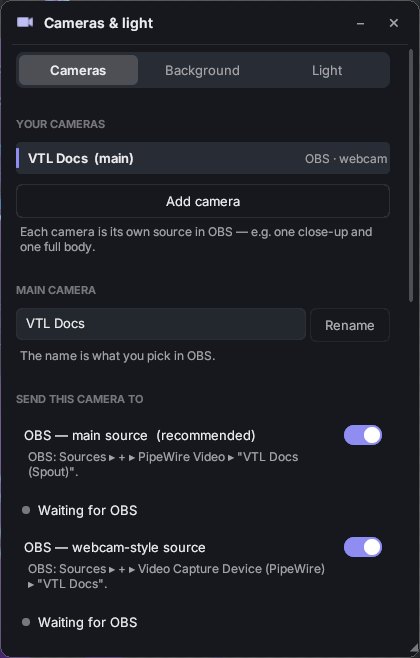
Your avatar reaches OBS with a transparent background. Add more cameras, each with its own source, for close-ups and wide shots.
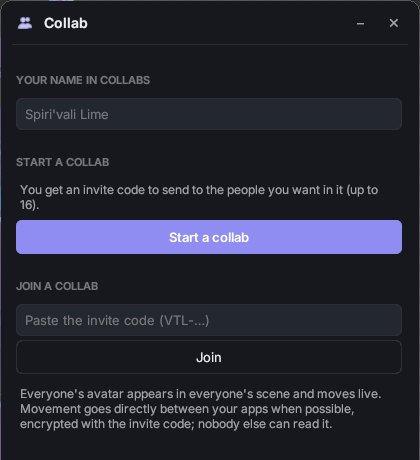
Collabs
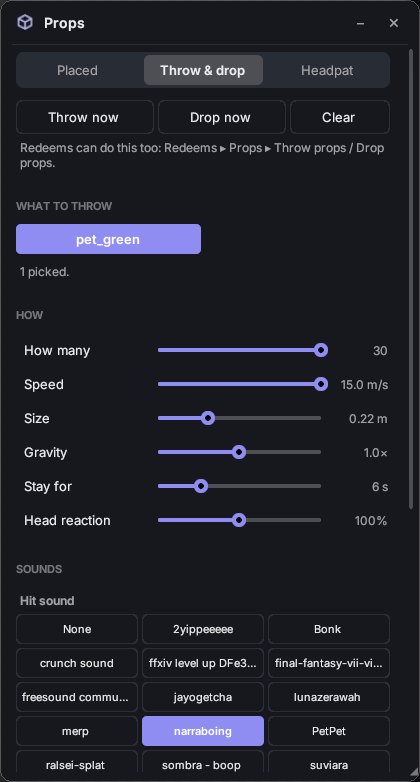
Put up to 16 avatars in one scene, moving live, with boops, headpats and synced dances between you.
Get started
Linux
- Download the file and keep it somewhere permanent, like your home folder.
- Right-click
VoidTuber.AppImage, open Properties and allow it to run as a program. - Double-click it. The first time, it offers to add itself to your app menu.
You need a 64-bit desktop with PipeWire, which most current distributions use. New versions install from inside the app.
Windows
- Install the Spout2 plugin for OBS, which is how the avatar reaches OBS on Windows.
- Unzip the download anywhere.
- Read
READ ME FIRST.txt, then runVoidTuber.exe.
Webcam tracking covers your face, hands and upper body. AudioLink isn't in the Windows version yet.
VRChat avatars are exported once from their Unity project with the VoidTuber exporter. Its public download is coming soon, so ask Zayrix for a copy until then.
Latest version
0.2.0-alpha.10.1, released 8 November 2026
Fixes crashes when the picture output restarts, and collabs where a partner's avatar wouldn't show. Dances now play the right motion and stop when it ends, the dance camera no longer tilts, and dances with several dancers can bring in extra avatars.
SHA-256 for the Linux file: 5e396d2a2ffd88156538b80945c3d10ec9622100f4e1de35371ba11233130427