 VoidTuber
Collab
A collab puts everyone's avatar in everyone's scene, moving live, so you can stream together with each of you showing all the avatars. Up to 16 people can join.
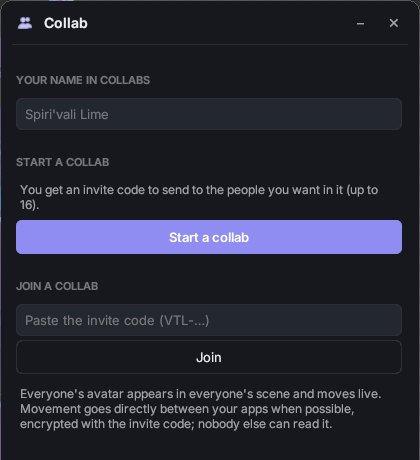
Starting or joining
- Everyone sets Your name in collabs in the Collab window.
- One person presses Start a collab and then Copy invite code. It looks like
VTL-…. Send it to the others privately (a Discord DM, for example). - The others paste it and press Join.
- The app asks whether to send your avatar to the others. If you say no, people who don't already have it see nothing for you.
The Collab window then lists everyone, with a bar while their avatar is downloading. Each partner's avatar appears next to yours and follows their tracking, expressions, toggles and dances.
Things you can do together
- Headpat anyone with the button next to their name. They see it on their avatar too. See Props & headpats.
- Props on your avatar, throws and drops show up for everyone.
- Your avatar size (Avatar ▸ Size) shows up for everyone.
Privacy
- Movement goes directly between your computers when possible. When it isn't (some home routers), it goes through the VoidTuber server instead.
- Everything is encrypted with a key that is part of the invite code and is never sent to the server, so the server can't see avatars, movement or props.
- Anyone with the invite code can join and see the avatars, so share it only with the people you want in.
- Avatars and props from partners are deleted from your computer when you leave the collab.
Leave the collab to end it for yourself. The collab ends when the last person leaves.